Adoption keeps climbing. North America had roughly 19.2 million active fleet-management systems in commercial vehicles in Q4 2024, and that number is projected to hit 33.2 million units by 2029. Yet many fleet managers use GPS tracking daily without understanding how it actually works, which leads to poor vendor choices and underused features.
This guide breaks down exactly how GPS fleet tracking works, step by step, plus where and why it matters.
TL;DR
- GPS fleet tracking combines hardware, satellite trilateration, and cloud software for real-time vehicle visibility
- Four stages power the system: installation, satellite positioning, data transmission, and software visualization
- Active tracking updates continuously; passive tracking stores and uploads data later
- Construction, HVAC, trucking, plumbing, and waste fleets use it for safety, cost control, and compliance
- Plug-and-play devices, like Azuga's OBD-II tracker, install in minutes without professional help
What Is GPS Fleet Tracking?
GPS fleet tracking is a system combining GPS hardware with fleet management software to monitor vehicle location, movement, and usage in real time. It replaces manual driver check-ins, paper logs, and guesswork with verified data pulled directly from the vehicle and satellites.
A phone navigation app shows directions. Fleet tracking records live vehicle location, driver behavior, engine diagnostics, and a full history of every trip.
Why fleets still rely on it despite newer connected-vehicle tech:
- Low cost per vehicle compared to building custom telematics
- Proven reliability across millions of installed devices
- Works across older and newer vehicles alike via the OBD-II port
Tracking hardware varies — plug-in OBD-II devices, hardwired units, and portable asset trackers — but the core working process stays largely the same across all three.
How Does GPS Fleet Tracking Work?
GPS fleet tracking runs through a defined sequence: device installation, satellite positioning, data transmission, and software visualization.

Device Installation and Activation
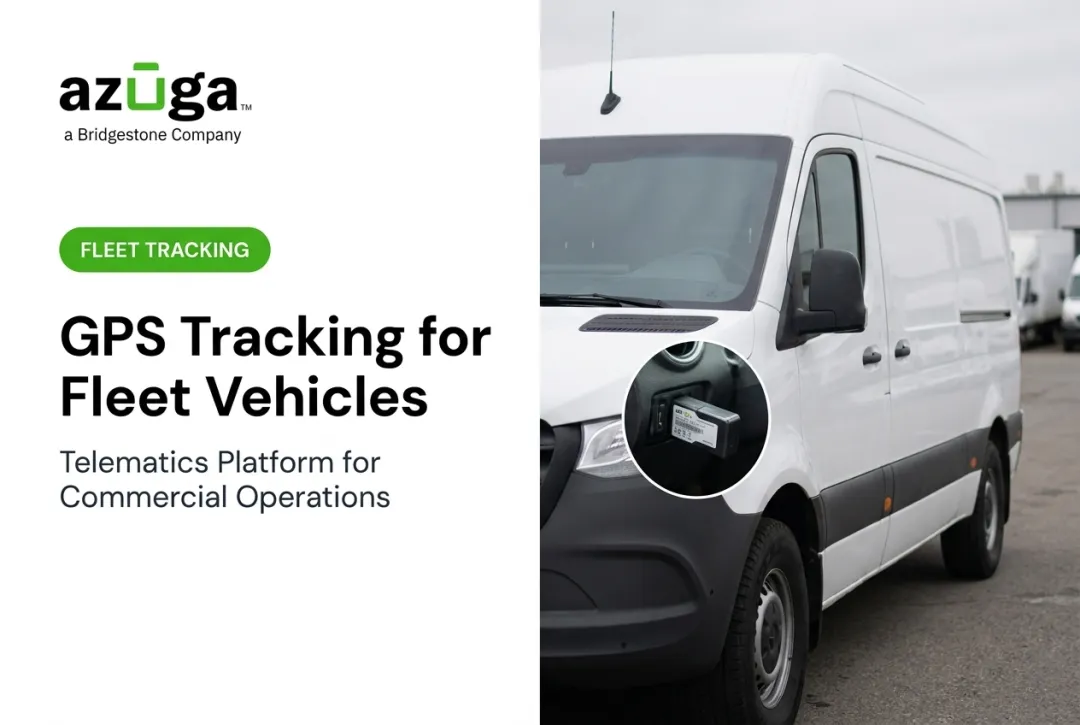
A small GPS device gets installed in each vehicle, usually through the OBD-II diagnostic port (the same port mechanics use to read engine codes). Most fleet owners install it themselves in minutes, no wiring or shop visit required.
Tracking starts automatically once the vehicle's ignition turns on and the device connects to the onboard computer. Azuga's plug-and-play OBD-II tracker, for example, installs in about 20 seconds and immediately begins capturing location, diagnostic, and behavior data.
Satellite Positioning (Trilateration)
Once active, the device calculates its position using trilateration: it measures signal travel time from GPS satellites overhead. The FAA notes that basic GPS service uses at least four satellites to solve for latitude, longitude, altitude, and time simultaneously.
This produces
- Precise location coordinates and elevation
- Speed and heading
- Timestamped updates at set intervals (Azuga updates every 30 seconds)
Update frequency shapes how real-time tracking feels. A 30-second ping keeps dispatchers current; a five-minute interval leaves larger gaps.
Data Transmission
The device sends location and diagnostic data over cellular networks to a secure cloud server. What matters in practice
- High-frequency pings (such as 30-second intervals) support faster dispatch and safety alerts
- Managers can act sooner when fresh data arrives without long gaps
- Tunnels and remote job sites can delay live updates
- Passive or hybrid modes store data locally until cellular signal returns
Software Visualization and Action
All that raw data lands on a live dashboard: a map showing vehicle location, routes, speed, idling, and driver behavior side by side. Fleet managers use this to
- Make dispatching decisions based on the closest available vehicle
- Flag maintenance issues before they become breakdowns
- Generate compliance reports automatically
- Optimize routes in real time
The payoff shows up in the numbers. According to Verizon Connect's 2025 survey, 47% of fleet-tracking users saw positive ROI within a year, with self-reported reductions of 16% in fuel costs and 22% in accident costs.

Active vs. Passive GPS Tracking
Active tracking transmits data continuously in near real time. It's built for situations that need an immediate response
- Live dispatching
- Real-time alerts
- On-route course corrections
Passive tracking stores data locally and uploads it later, often once the vehicle returns to a coverage area. It works well for
- Route history
- Post-trip review
- After-the-fact compliance checks
Insights arrive delayed, so passive mode won't support live decisions.
Most modern platforms blend both. High-frequency systems like Azuga default to active tracking but fall back on stored data when connectivity drops, so visibility never fully disappears in a tunnel or rural job site.

Why GPS Fleet Tracking Matters for Fleet Operations
Safety and Liability
Monitoring speeding, harsh braking, and hard cornering changes driver behavior. Azuga customers see an average 38% reduction in accidents and a 57% drop in speeding citations after adoption. Features like SafetyCam AI with collision reconstruction also help exonerate drivers. Azuga data shows 70% of accidents are not the fleet driver's fault.
Cost Savings
Fuel monitoring, idling alerts, and route optimization add up. The DOE's Federal Energy Management Program notes that real-time behavior feedback can cut fuel use by 10-25%. Azuga customers report averaging $9,462 in annual savings per fleet from tighter cost management.
Compliance
Automated logs support DOT hours-of-service rules and maintenance recordkeeping. That means
- Less scrambling before an audit
- Fewer manual entry errors
- Documented proof of inspections and driving hours
Customer Service
Real-time location data means accurate ETAs. Kitsap Garage Door Company, an Azuga customer, uses location data to give customers reliable arrival windows and validate technician time cards before payroll. That small change builds trust on both ends.

Where GPS Fleet Tracking Is Used
GPS fleet tracking shows up wherever vehicles or equipment move outside a manager's direct line of sight
- Construction — geofencing flags when equipment leaves a job site, helping prevent theft
- HVAC, plumbing, electrical — dispatching and route-time tracking across multiple daily stops
- Trucking — compliance logging plus safety alerts; one carrier reported a 75% drop in speeding events after installation
- Waste management — GPS and video timestamps verify service completion and resolve pickup disputes
- Towing — near-real-time dispatch to the closest available truck
It performs best on multi-stop routes, remote job sites, high-value equipment, and time-sensitive deliveries. The specific feature that matters most shifts by industry: geofencing for equipment-heavy trades, route optimization for delivery-heavy ones.
Frequently Asked Questions
How does GPS fleet tracking work?
A device in the vehicle pulls data from the OBD port and receives signals from GPS satellites, then calculates location through trilateration. It sends that data over cellular networks to a cloud dashboard, where fleet managers view it live on a map.
How much does GPS fleet tracking cost?
Packaging scales with fleet size and features. Azuga matches packages to fleet needs, so hardware choices and optional add-ons like dashcams or asset trackers shape the final package.
How can I track my fleet in real time?
Real-time tracking requires an active GPS device transmitting continuously via cellular network to a live dashboard. Devices that update every 30 seconds give the most responsive visibility.
Is GPS fleet tracking legal?
Tracking company-owned vehicles is legal across the US, especially when you notify employees. Some states, like California and Connecticut, have specific consent or notice requirements, so check state law for your situation.
What features should I look for in a GPS fleet tracking system?
Look for real-time updates, geofencing, driver behavior alerts, and 24/7 support. Integration with your existing dispatch or maintenance software also matters for day-to-day usability.
How long does it take to install a GPS tracking device?
Plug-and-play OBD-II devices, like Azuga's tracker, install in about 20 seconds without professional help. No wiring or vehicle downtime required.